AutoTrim – Automated Trimline Generation for Clear Aligners
Automatically detect, generate and manage cutting lines for aligner production – fast, precise and fully integrated into the LAC workflow.
AutoTrim is DMU’s software solution for generating and managing trimlines on 3D dental models.
By analyzing the dental arch, AutoTrim automatically defines the optimal cutting line for clear aligners, reducing manual effort and ensuring consistent results across entire model series.
Request a demo See AutoTrim in action
Automated Trimline Detection
Reliable trimline generation based on dental arch analysis.
Consistent Cutting Results
Uniform trimlines across multiple models and treatment steps.
Fully LAC-Compatible
Designed for seamless use with the LAC Laser Aligner Cutter.
Efficient Aligner Workflows
Less manual work, fewer errors, faster production.
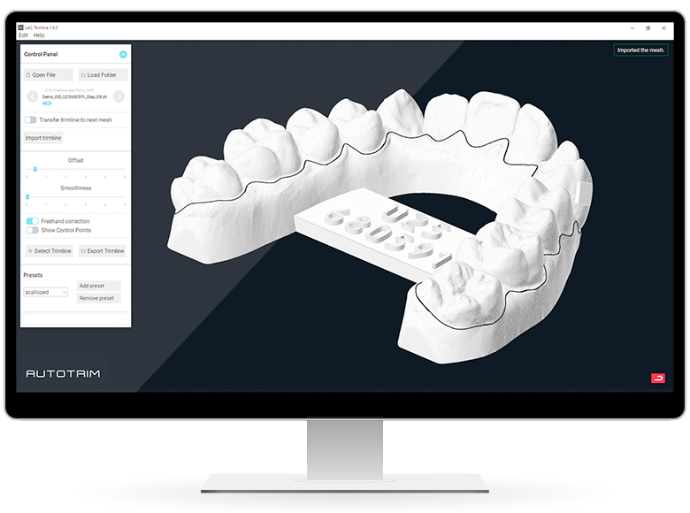
Software Designed for Automated Aligner Production
AutoTrim simplifies one of the most critical steps in aligner manufacturing: defining the cutting line.
The software automatically detects the optimal trimline on STL models and prepares it for laser cutting, while still allowing full manual control when needed.
AutoTrim supports industry-standard STL files and exports the trimline as a separate PTS file, perfectly aligned with the 3D model and ready for downstream processes.
Feature Highlights
Trimline Generation
Automated Trimline Detection
- Automatic detection of the trimline on 3D dental models
- Defines the future aligner edge and cutting area
- Optimized for laser cutting with the LAC quality
Manual & Parameter-Based Editing
- Manual adjustment via mouse input
- Parameter-based control (smoothing, offset)
- Ensures optimal results even in complex cases
Batch Processing
- Apply one trimline to multiple models
- Ideal for series production and treatment steps
Export as PTS
- Trimline exported as separate .PTS file
Character Bar
Create a Character Bar on the Model
- Connects left and right dental arches
- Facilitates separation of the thermoformed aligner
- Optional carrier for additional case information
Flexible Editing
- Adjustable thickness, width, angle and offset
- Manual input of:
- OID number
- Jaw type
- Treatment step
Smart Transfer Across Models
- Character Bar can be applied to multiple models
- Metadata is transferred or logically continued (e.g. treatment steps)
Export as STL
- Model with Character Bar exported as .STL file
Mounting Holes (Hamer DRS)
Integrated Mounting Hole Generation
- Automatically creates three mounting holes:
- One between the incisors
- Two in the posterior molar area
Optimized for Fixation Systems
- Designed for compatibility with Hamer DRS setups
Export as STL
- Model with mounting holes exported as .STL file
How it Works
From STL File to Ready-to-Cut Aligner
Steps
- Import the STL model into AutoTrim
- Automatically generate the trimline
- Adjust trimline or parameters if required
- Add Character Bar or mounting holes (optional)
- Export:
- Trimline as .PTS file
- Model as .STL file
- Process the aligner with the LAC Laser Aligner Cutter
Built for Seamless LAC Integration
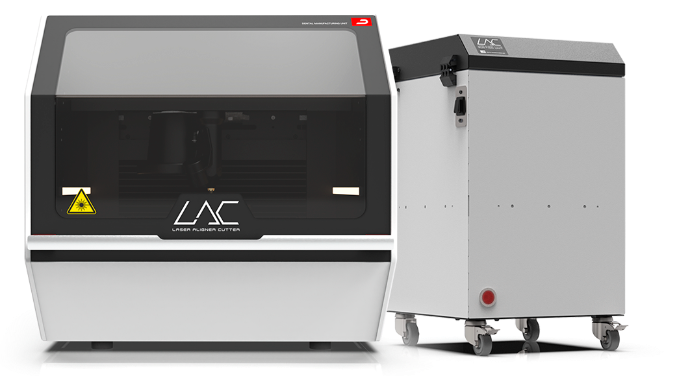
AutoTrim is designed as an integral part of the LAC ecosystem.
Combined with the LAC Laser Aligner Cutter, AutoTrim enables a highly automated, reproducible and scalable aligner production workflow.
Optional workflows include automatic file assignment via Character Bar ID tagging, allowing the LAC to select the correct cutting file without manual intervention.
Technical Information
SUPPORTED FILE FORMATS
- STL (3D models)
- PTS (trimline files)
COMPATIBILITY
- Compatible with standard dental STL files
- Designed for use with the LAC
SYSTEM REQUIREMENTS
Operating system: Microsoft Windows 10/11 (64-bit)
Processor: Quad-core CPU (e.g. Intel Core i5 / AMD Ryzen 5 or equivalent)
Memory: 16 GB RAM
Graphics Card: 4 GB VRAM, OpenGL 4.5 or higher
Storage: 512 GB SSD
Display Resolution: 1920 × 1080 (Full HD)
Network: Broadband Internet connection (minimum 10 Mbps)
License Models for AutoTrim
Choose the license that fits your production needs.
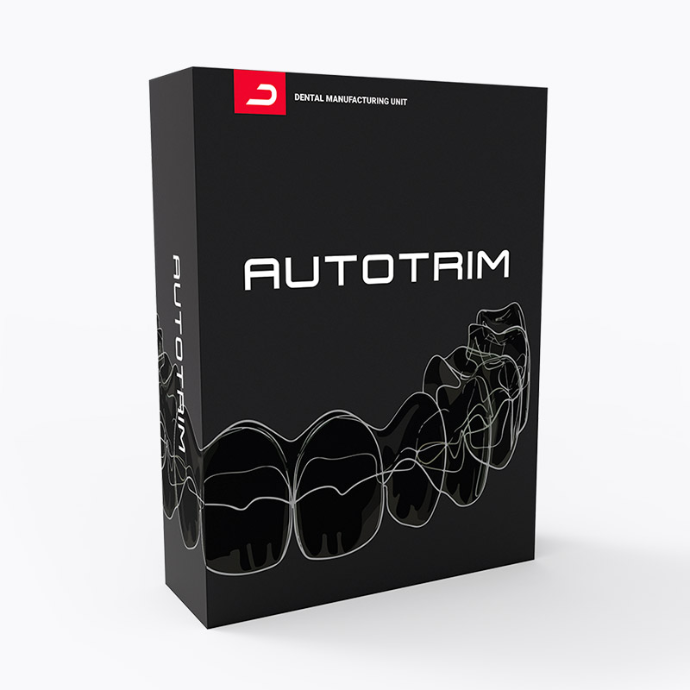
Full License
- One-time payment
- Lifetime usage
- Updates included
- Ideal for permanent in-house production
#10123500
Frequently Asked Questions
Clear answers to common questions about operation, filtration and integration.
Yes.
AutoTrim is designed to be used as part of the DMU aligner production workflow and integrates seamlessly with the LAC.
Yes.
Trimlines can be adjusted manually or via predefined parameters such as smoothing and offset.
Yes.
AutoTrim allows trimlines and Character Bars to be transferred across multiple models.
Trimlines are exported as PTS files, while models with additional features are exported as STL files.
Yes.
AutoTrim supports standard STL files used in dental 3D printing workflows.
Ready to Automate Your Trimline Workflow?
See how AutoTrim can reduce manual work, improve consistency and accelerate your aligner production.
Our team will respond personally and help you find the right configuration.